Will Omarchy run on your Mac?

Run it live from a USB stick to find out.

OmaBoot? is a comprehensive Intel Mac test suite for Omarchy. It checks your exact Mac in about two minutes, then walks you through hands-on tests of the keyboard, ports, sound, sleep and more. Nothing is installed, and your disks stay read-only.

  • 46 criteria
  • 2 min quick pass
  • 0 bytes written to your disks
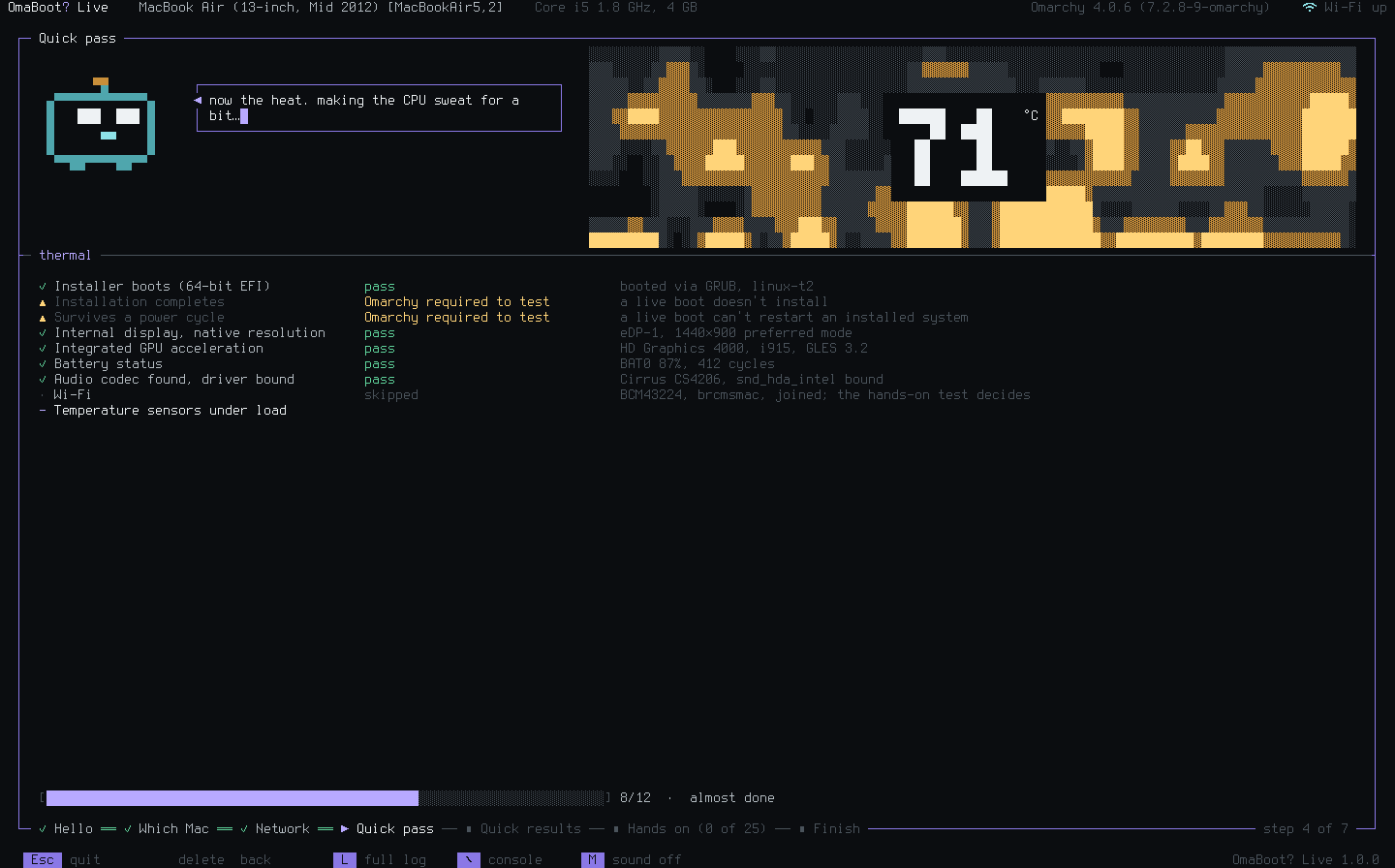
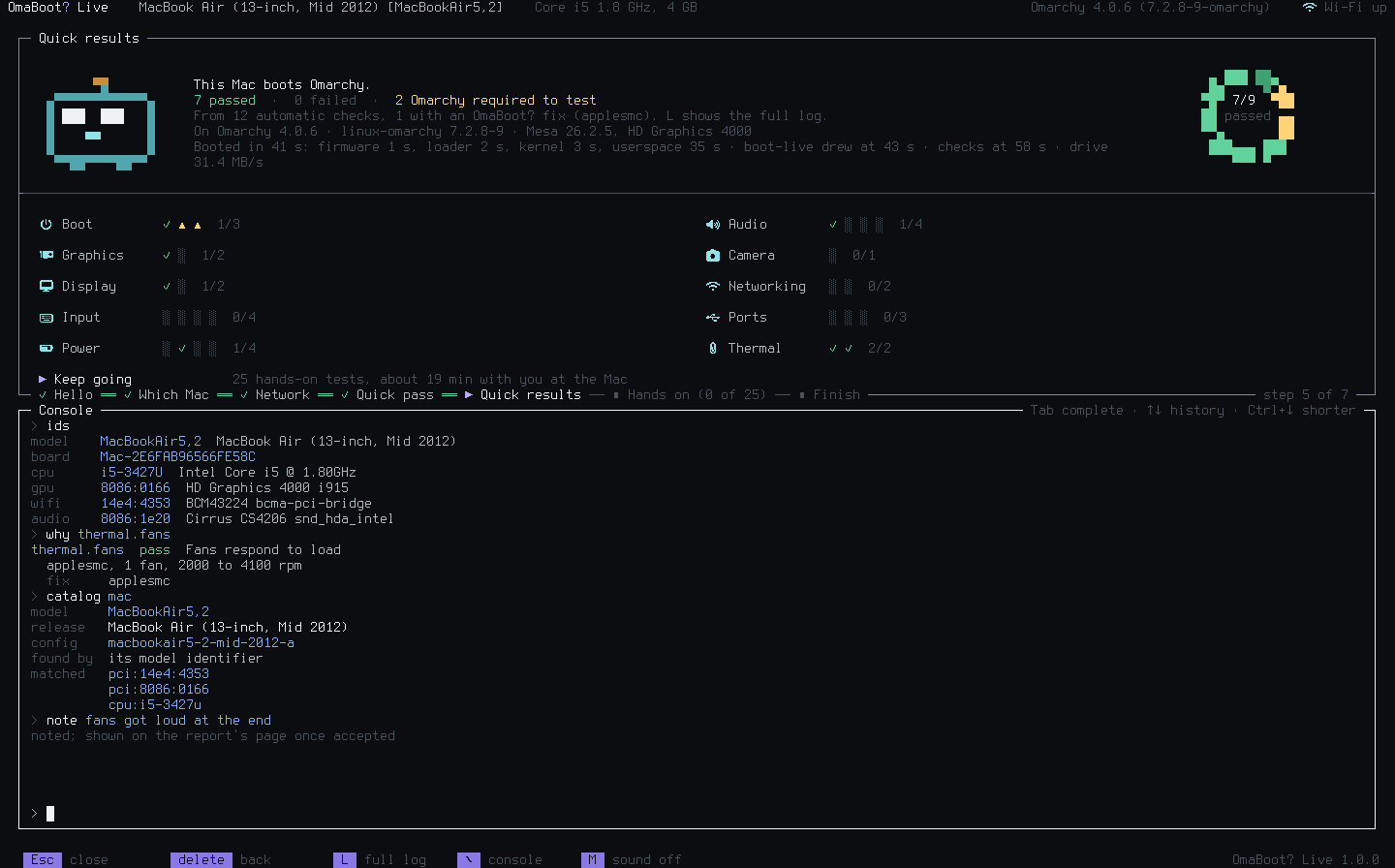
The quick pass running on a MacBook Air: Boot checks the boot path, warns that the screen may go dark for the graphics test, spins a torus, heats the CPU and checks the fans and light sensor, then shows the quick results: this Mac boots Omarchy, 7 passed, 0 failed.

Pick your image

Three editions, one Test Suite. Start with Live.

Test Suite Essentials

OmaBoot? Live

A stripped-down omarchy-iso with just the essentials, plus the OmaBoot? test suite: test your Mac against the official Omarchy environment. Built to run on Macs with 2 GB of RAM, straight off the USB stick.

Download 4.0.6-11.2 GB · 2026-10-21
Test Suite + Omarchy Install

OmaBoot? Omarchy

The full Omarchy installer plus the OmaBoot? test suite. The way to test first, then commit to installing Omarchy from the same stick. One stick to rule them all!

After Liveabout 6 GB

Separate Sticks

OmaBoot? Slim

A two-stick option: the official Omarchy ISO stays on one stick, and the tiny OmaBoot? test suite on a second loads itself before the system starts. pending upstream changes

Hopeful future

Verifiable difference report from the official Omarchy ISO

Tests your Intel Mac for Omarchy compatibility, with full hardware checks

Downloads, checksums and signatures

How it works

  1. Flash a USB stick

    Any USB stick of 2 GB or more (8 GB for OmaBoot? Omarchy). How to flash it

  2. Hold Option

    Turn the Mac on, pick OmaBoot? Live from the startup disks.

  3. Test

    A two-minute quick pass with no input, then the full hands-on test. Skip any part you like.

  4. Report

    Send the results to DoesItOmarchy.com, where they help the community: everyone with the same Mac learns what to expect from Omarchy. Offline? Save them to the stick.

boot.watch, the other end of the line

OmaBoot?'s own small server. The network tests talk to it, so a working connection is proven byte by byte, not assumed.

Macboot.watch

  1. Sign-in check. One echo over plain HTTP. A hotel's sign-in page would answer instead.

  2. Round trip. Six echoes over HTTPS; a wrong certificate means someone else answered.

  3. Download. 64 KB and 256 KB of random data, every byte checked.

  4. Upload. 64 KB back; boot.watch says how much of it matched.

  5. Speed. 1 MB for at most 2 seconds.

One Wi-Fi or Ethernet test, over the adapter under test only, in 15 seconds at most.

Why it's needed

Getting an address doesn't prove a network works: a sign-in page, a proxy or a flaky adapter can all look connected. Data that comes back exactly as it should can't be faked.

What it keeps: nothing

No request log, no addresses on disk, nothing about your Mac in the data. Rate limits live in memory and are forgotten after an hour; it counts only totals. Its uptime is public at status.boot.watch.

Next: your phone planned

Pair a phone by QR code and boot.watch relays its part in the camera, microphone and sound tests, encrypted end to end. The relay stores nothing either.

How boot.watch works: the protocol, the data, the limits

The test screens

Seven steps, one screen each. Every test explains what to do, shows what the Mac sees, and decides from what it measured.

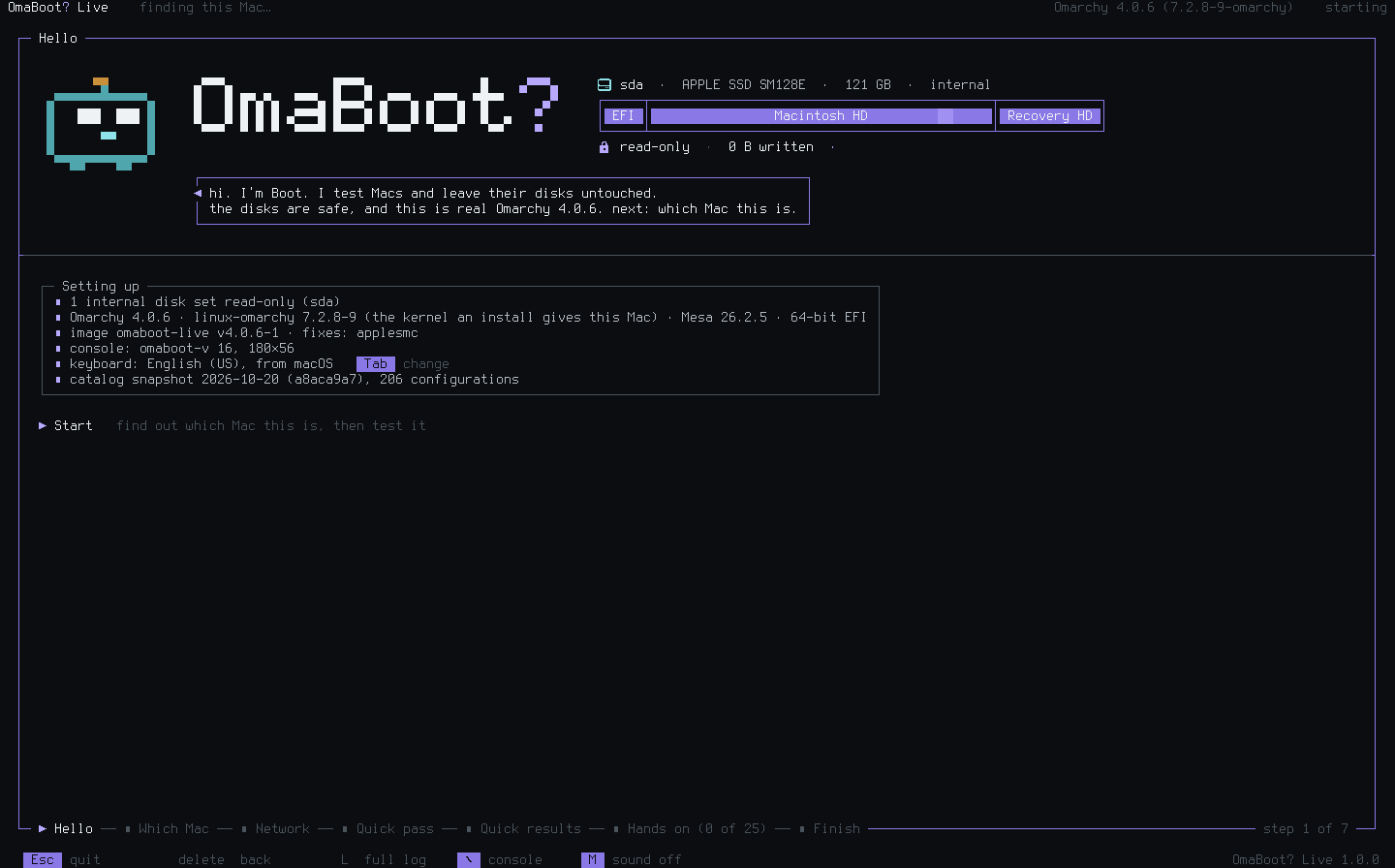
  1. 1Hello

    Disks set read-only, the keyboard layout read from macOS.

    Fig. 1
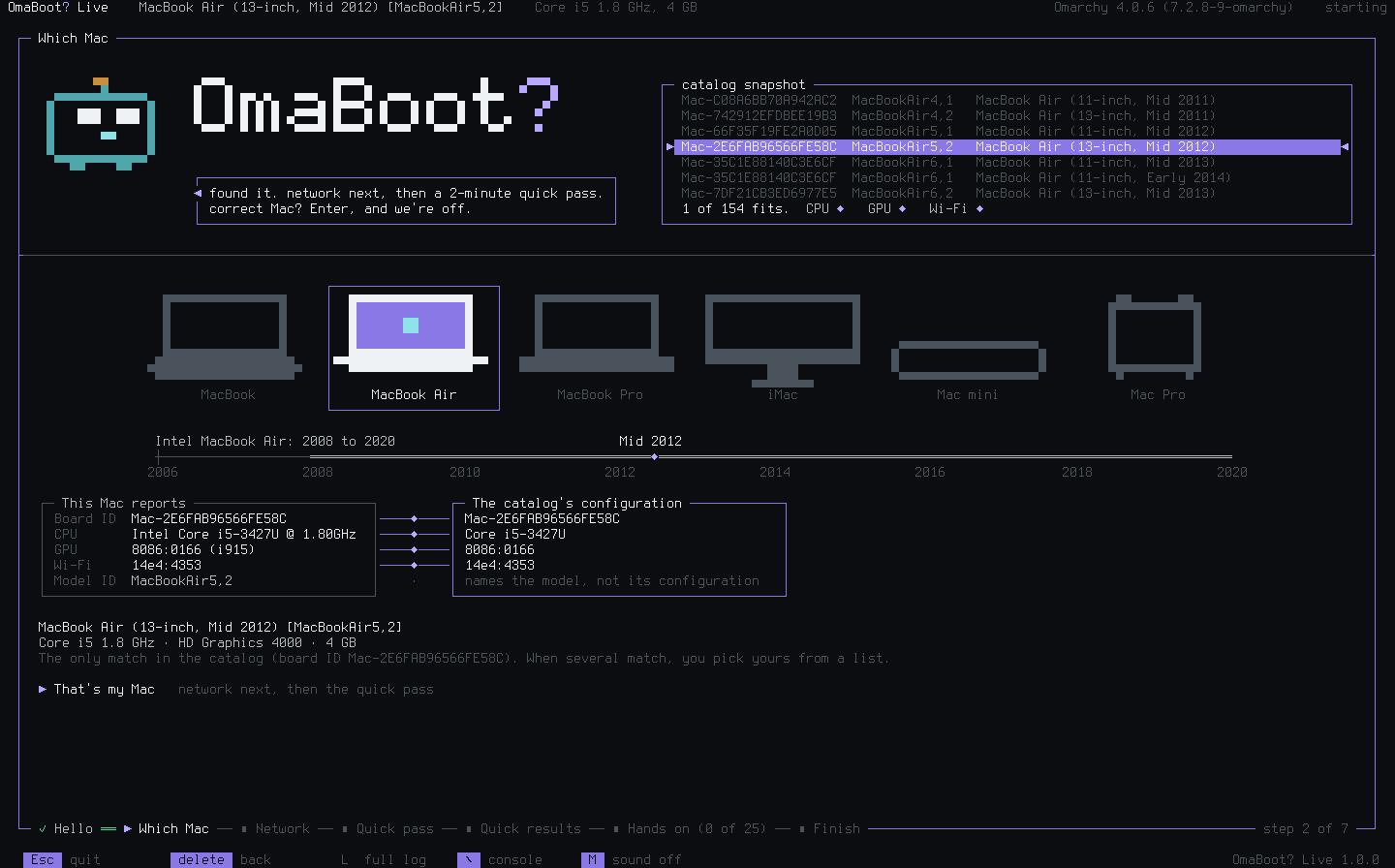
  2. 2Which Mac

    Board and chip IDs find your exact configuration.

    Fig. 2
  3. 3Network

    Wi-Fi, Ethernet or a phone. Offline works too.

    boot.watch
  4. 4Quick pass

    About 2 minutes, no input: graphics, power, heat, fans.

    Fig. 3
  5. 5Quick results

    Whether it boots Omarchy, and what passed.

    Fig. 4
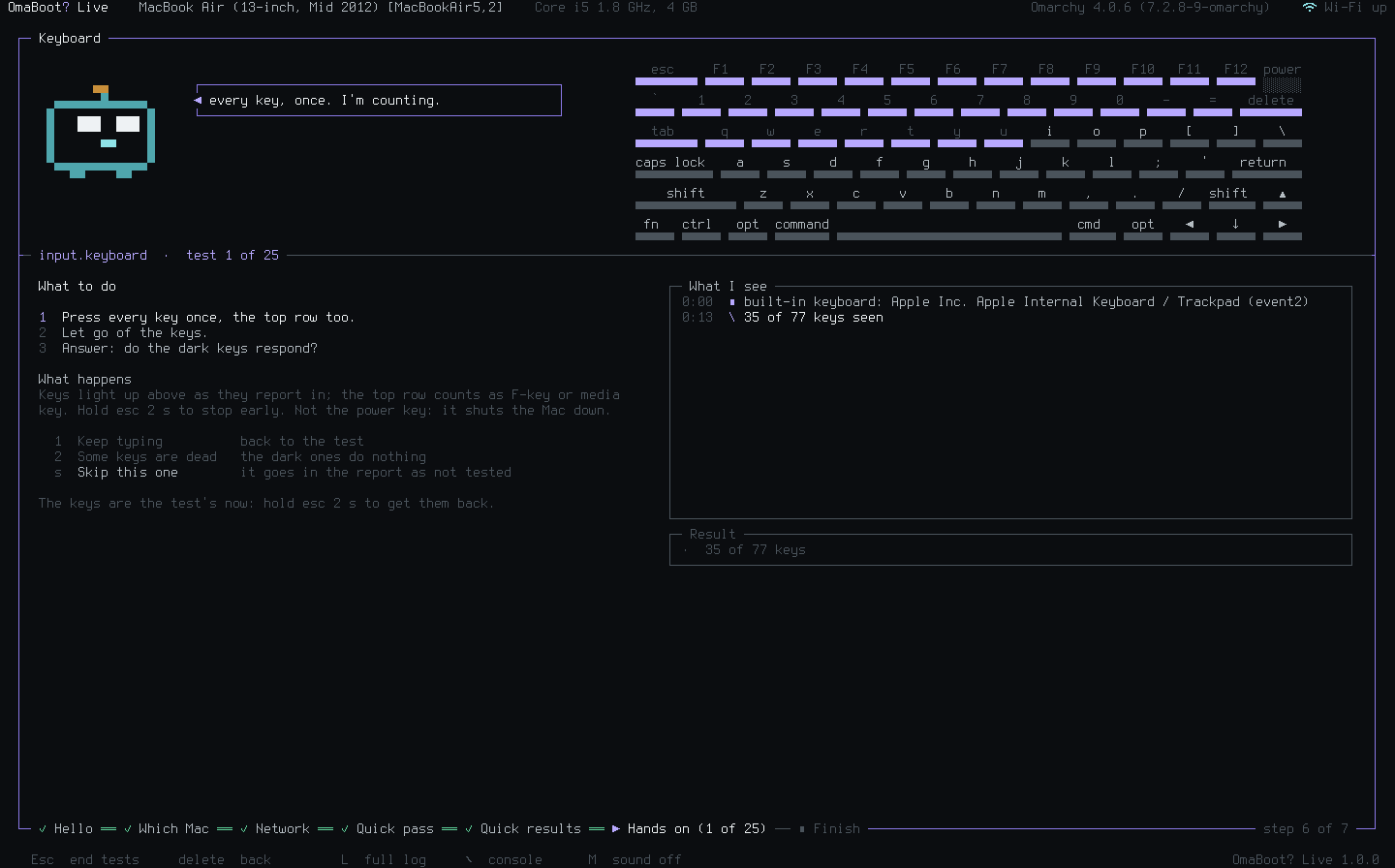
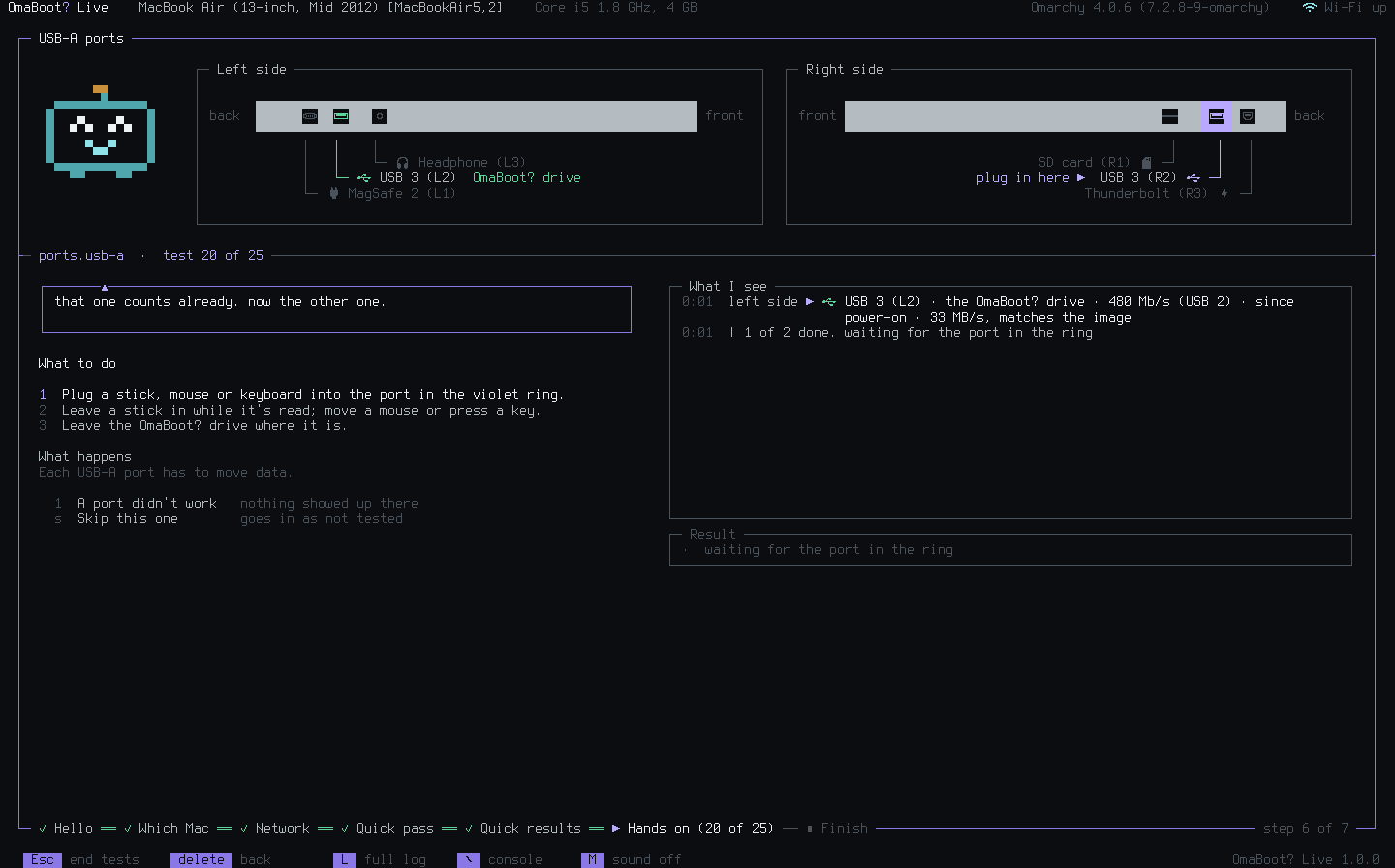
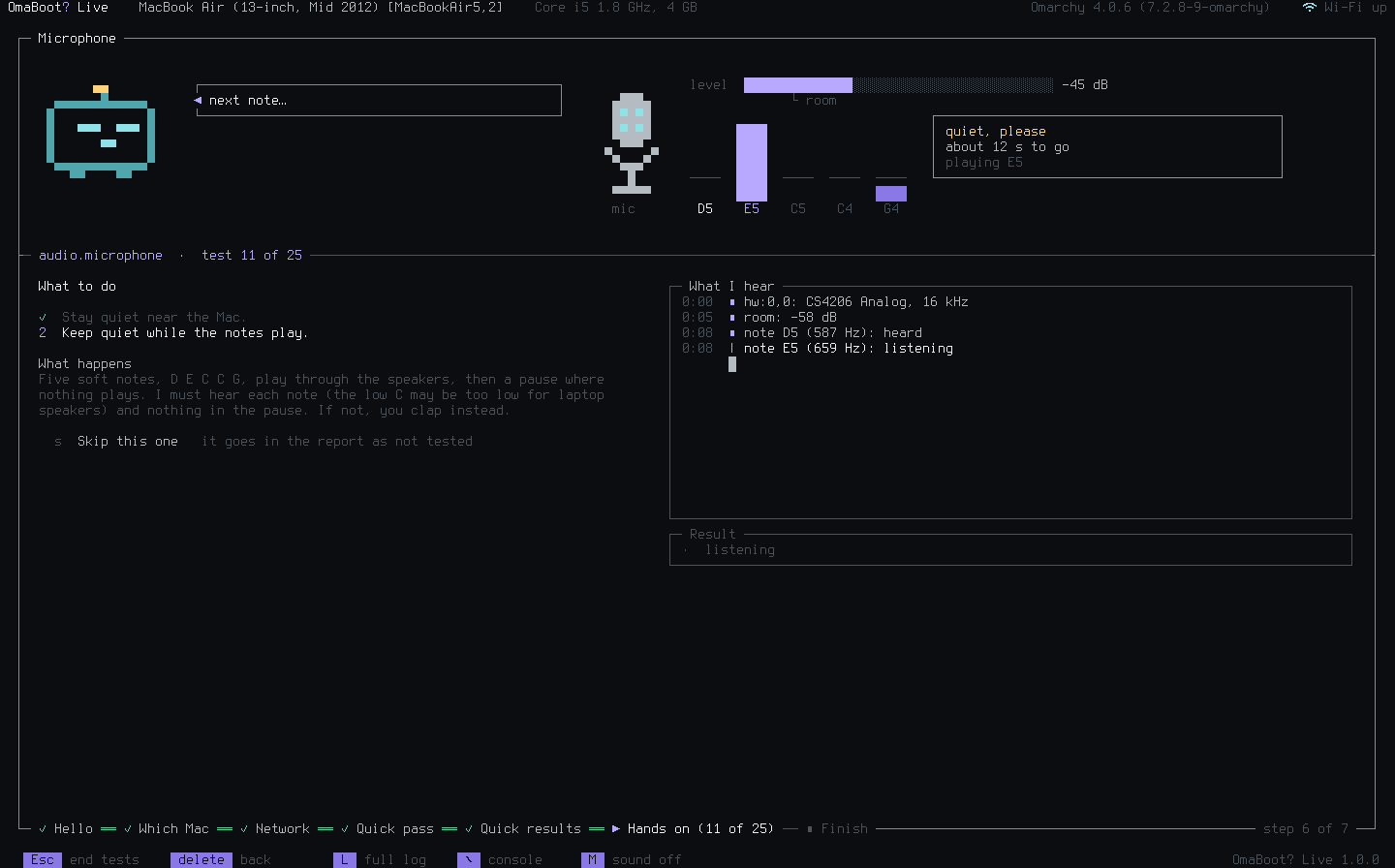
  6. 6Hands on

    Keyboard, ports, sound, sleep and more, with you. Skip any.

    Figs. 5–7
  7. 7Finish

    Send the report, or save it to the stick.

    Fig. 8

runs on its own

Your exact Mac, not just the model

  • One identifier, several Macs. MacBook Pro (15-inch, Early 2011) [MacBookPro8,2] shipped with three different graphics chips, and Linux drives each one differently.
  • It reads what's inside. The board ID and the chips' IDs pick the one matching configuration of 206; when two could fit, you choose.
  • Your results count there. On DoesItOmarchy.com, for that exact configuration, so the next person with the same Mac knows what to expect.

model MacBookPro8,2 board Mac-94245A3940C91C80

15-inch, Early 2011

Core i7 2.0 GHz · Radeon HD 6490M

Core i7 2.2/2.3 GHz · Radeon HD 6750M

15-inch, Late 2011

Core i7 2.2 GHz · Radeon HD 6750M

Core i7 2.4 GHz · Radeon HD 6770M yours

read from the Mac CPU i7-2760QM · GPU 1002:6740 → one match

Your disks stay untouched

Before anything else, every internal disk is set read-only. Nothing is installed and no firmware or startup setting changes. Pull the stick and your Mac is as it was.

Real Omarchy

Built from Omarchy's own ISO, with the same kernels and packages as an official release. Each release shows exactly what differs. How to check

Fixes, in the open

Where a Mac needs a fix stock Omarchy doesn't have yet, OmaBoot? Live carries it and the report says so. Each one is documented: what it changes, on which Macs, and where it's heading upstream. The fixes